
FileOneAndroid file manager

PDF · EPUB

Read PDFs and EPUB books in FileOne

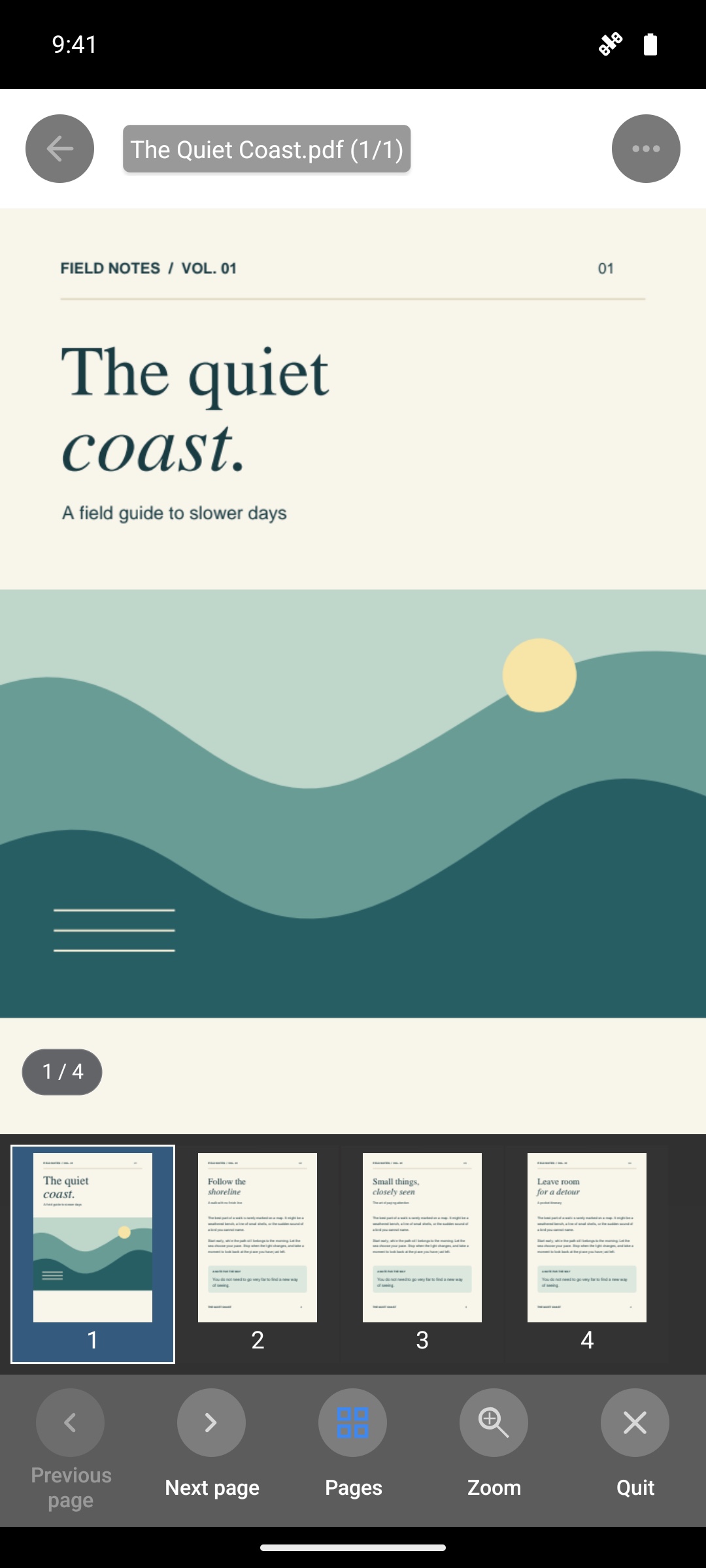
Open PDF documents and EPUB books from FileOne’s file list. Use PDF zoom and page navigation, or read EPUB text in a paginated layout.

Get FileOne on Google Play

What you can do

PDF zoom and page navigation

Fit the page or its width, pinch to zoom, and drag to pan. Navigate with Previous, Next, page thumbnails, or a page number. Thumbnails appear below the page in portrait and on the right in landscape. When zoomed in, drag past the top or bottom edge until the progress ring fills, then release to turn the page.

EPUB pagination and page turning

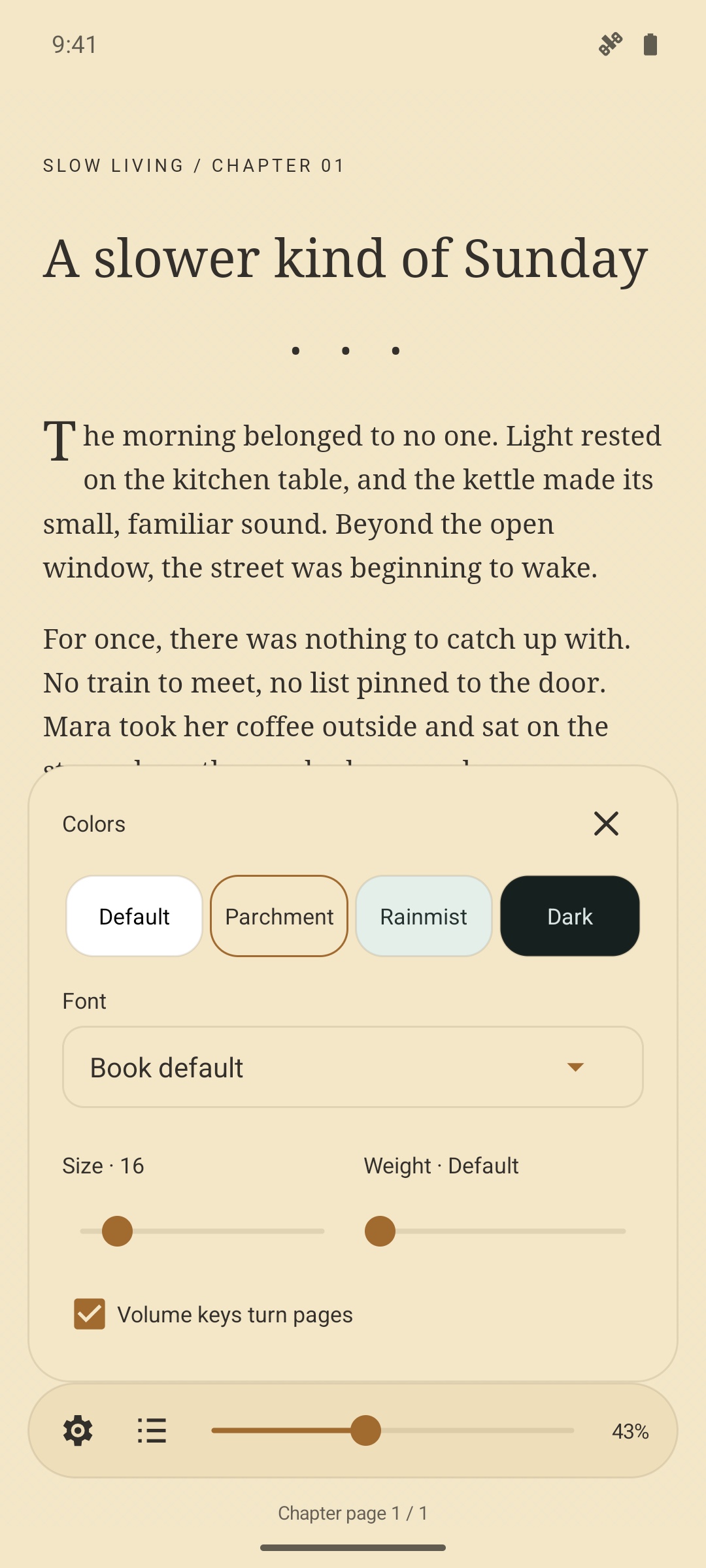
Text is paginated to fit the screen. Swipe or use the volume keys to turn pages, and use the chapter list to navigate. Your reading position is saved for the next time you open the book.

Open local or network documents

Open PDFs and EPUB books from FileOne’s file list. Local files are read directly. Supported network documents are downloaded to the local preview cache before opening.

EPUB reading features

Use fonts embedded in the book or choose a font available on your device.

Embedded font support

Use fonts embedded in the EPUB to preserve the book’s font settings.

Custom font selection

Choose from fonts available on your device. The list prefers friendly, localized font names when available.

Volume-key page turning

Enable volume-key page turning, or swipe left and right to turn pages.

Chapter navigation

Use the chapter list to jump to a specific chapter.

Reading position memory

Your reading position and preferences are saved automatically and restored when you reopen the book.

Download FileOne

Install FileOne to use its built-in PDF and EPUB readers.

Get FileOne on Google Play
WebDAV file manager for Android SMB file manager for Android File manager for Android TV Media player Google Drive, OneDrive and Dropbox Large-file resume and task management Browser file transfer for Android TV