Start the server only when you need it
FileOne shows the local address and a temporary pairing password after you start File Transfer. Enter both in a browser connected to the same Wi-Fi or Ethernet network.
 FileOneAndroid file manager
BROWSER · LOCAL NETWORK
Start File Transfer in FileOne, then open the displayed local address from a phone or computer on the same network. No cable, cloud account, or companion app is required.
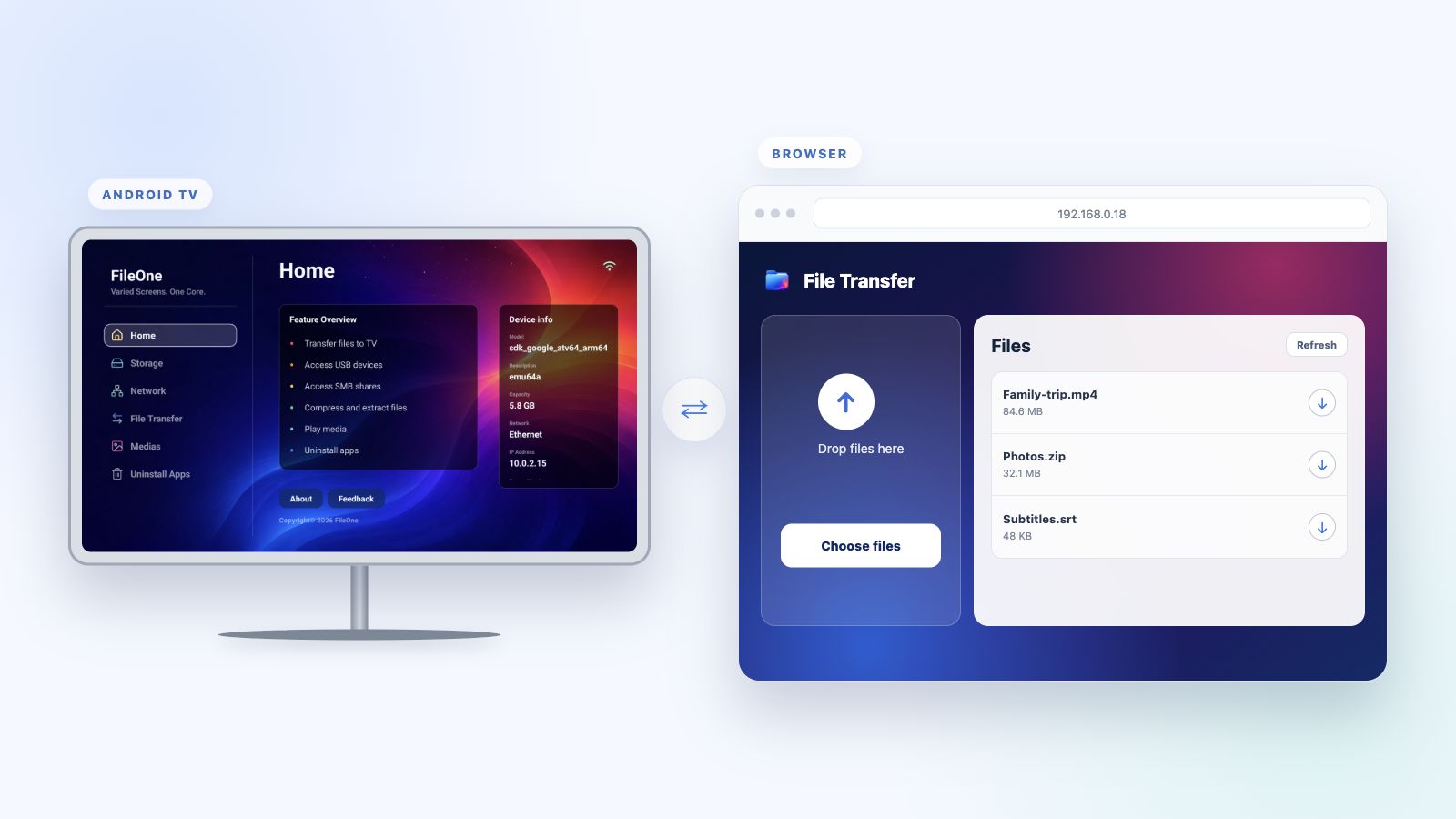
FileOne shows the local address and a temporary pairing password after you start File Transfer. Enter both in a browser connected to the same Wi-Fi or Ethernet network.
Upload files to the TV, download files to another device, and open the TV Download folder directly from FileOne when the transfer is complete.
A visible status and notification make the running transfer service clear. Stop the server from FileOne as soon as you finish using it.
Install FileOne and use a browser on another device to move files to and from your TV.